
Intake & conflict checks
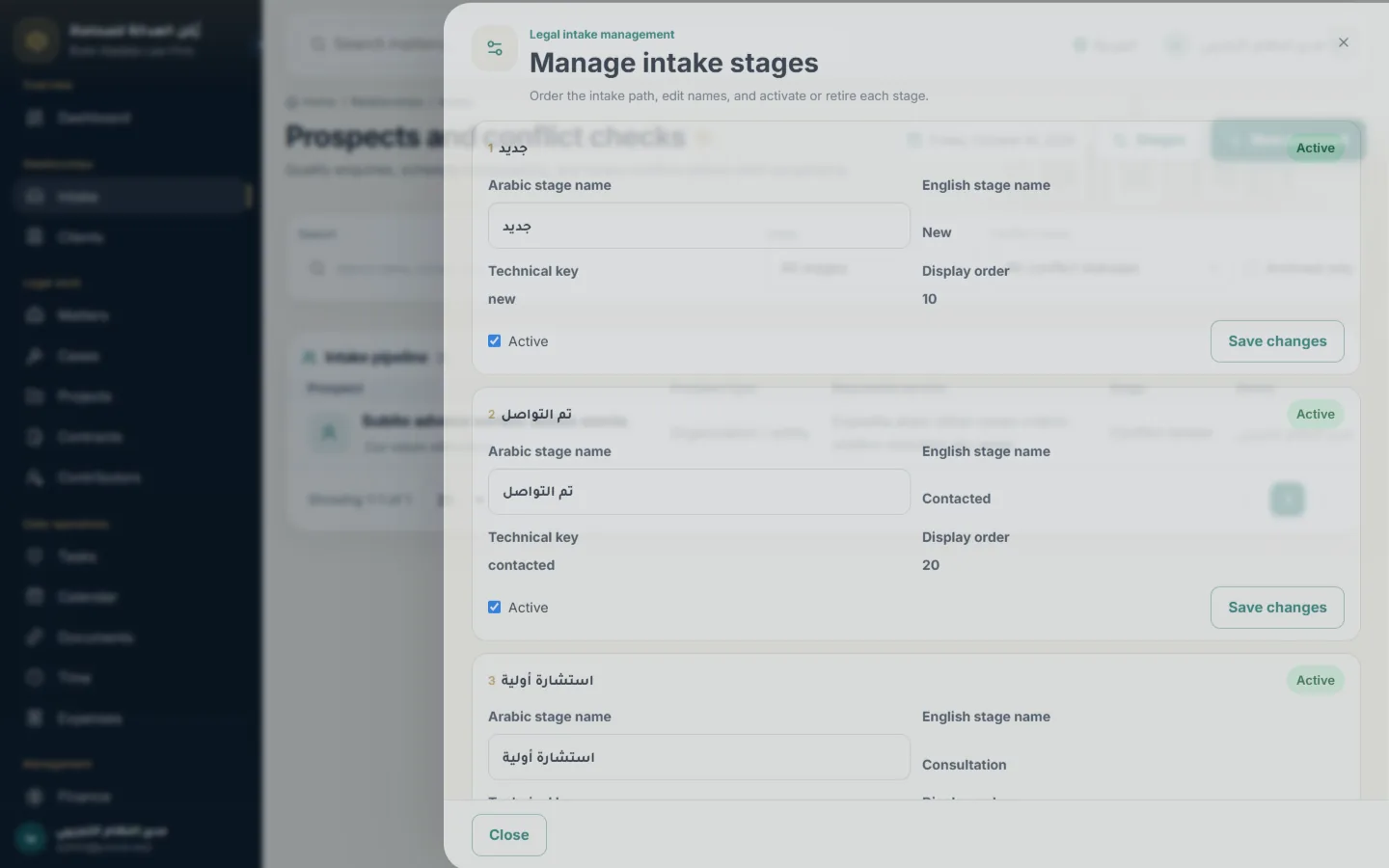
Prospects, consultations and configurable intake stages, with an audited conflict review before any client is accepted.
A Quick2Tech product · Law firm management
Jurevia brings intake and conflict checks, matters and court cases, documents, time and billing, a private client portal and your firm’s website into one Arabic-first workspace.
Features
Each step hands over to the next: an accepted prospect becomes a client, a matter collects its hearings, tasks, documents and time, and billable work becomes an invoice.
Prospects, consultations and configurable intake stages, with an audited conflict review before any client is accepted.
Individuals and organizations with contacts, identifiers, classifications and relationships — a full picture of every client.
Matters with teams, confidentiality and stages; cases linked to courts, with hearings and claim values.
Tasks, events and deadlines for every matter, so no hearing or deadline is missed.
Private versioned documents and a knowledge library with Arabic and English text recognition and search.
Time entries, expenses, fee agreements, invoices, payments and matter profitability.
Invitation-only access where clients follow their matters, documents, invoices and appointments and request consultations.
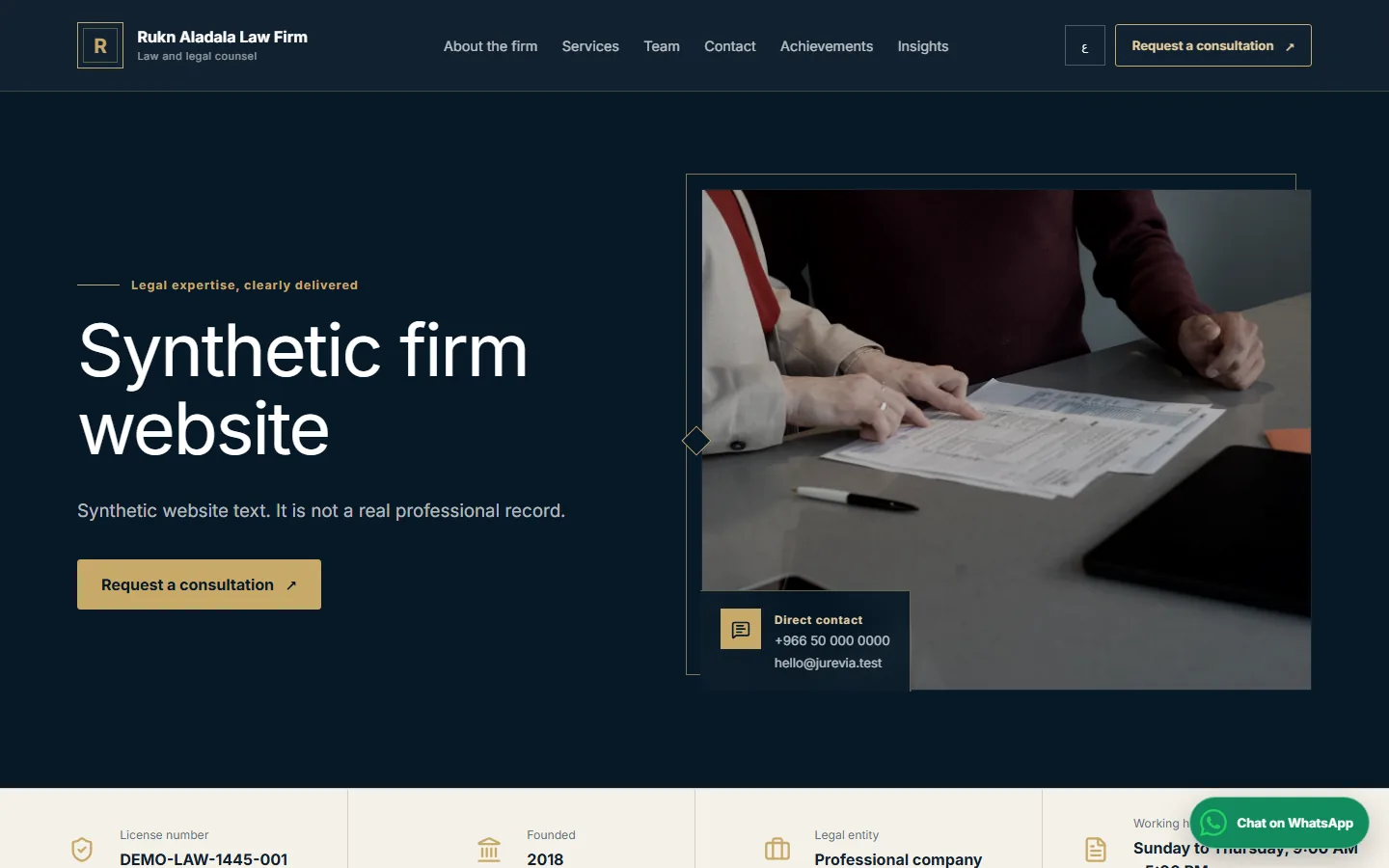
A bilingual public website for the firm — services, team, achievements, articles and a consultation form — run from the same system.
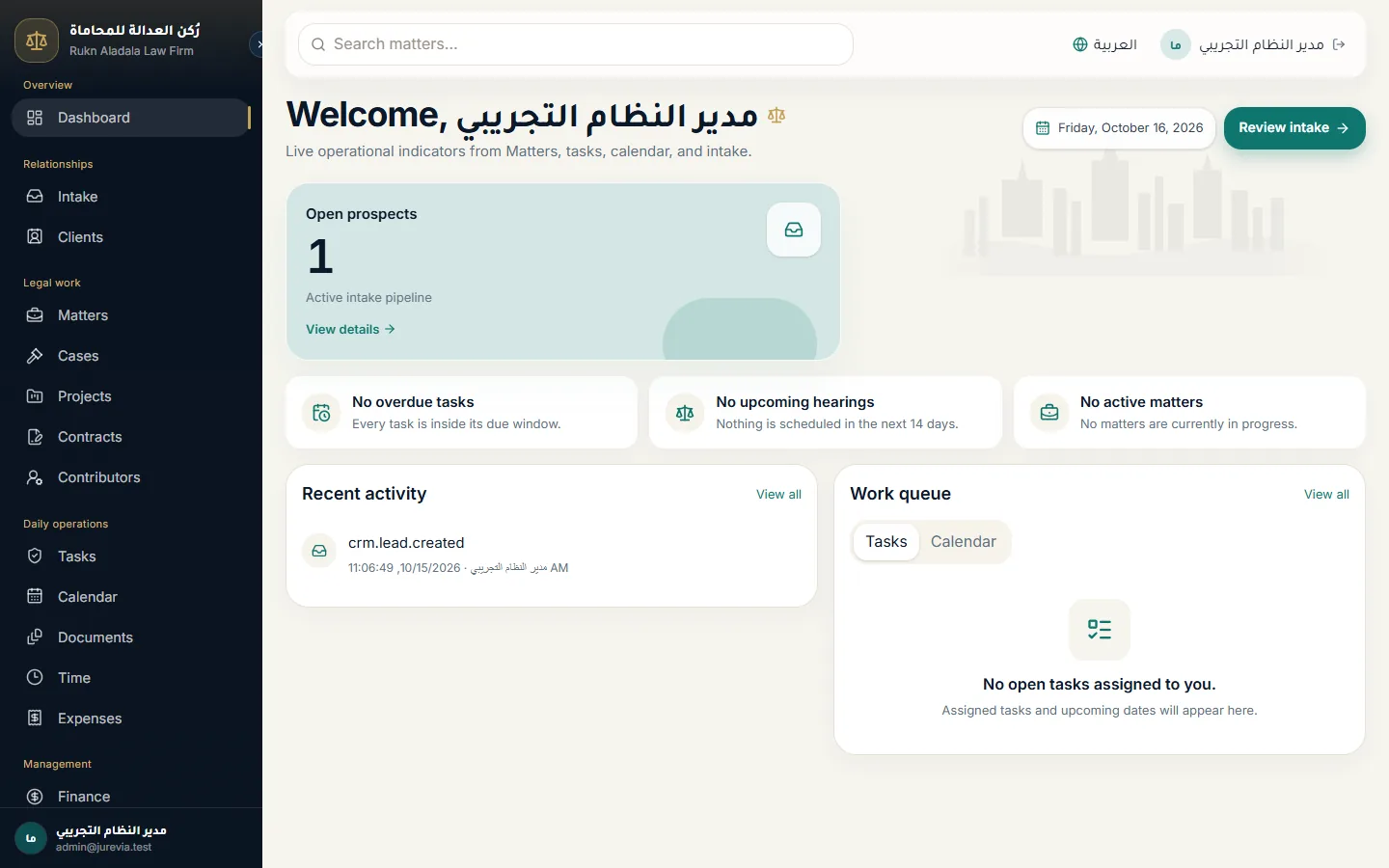
An operational dashboard, exportable reports, ten firm roles with fine permissions and a full audit trail.
Screens
Real screens from the Jurevia demo, in Arabic and English.
Live demo
The demo runs a fictional firm, so you can see each side of Jurevia as your staff, clients and visitors would.
The public site visitors see: services, team, articles and the consultation request form.
Open the websiteWhere clients follow their matters, invoices and appointments.
Portal sign-inThe internal workspace for lawyers, paralegals, finance and administration.
Staff sign-inDemo sign-in accounts are shared on request — message us and we will set one up for you.
How we start
We review your practice areas, team roles and intake flow.
Jurevia is set up with your firm’s name, logo, colours and website content.
We bring in your clients and open matters, then train each role.
Your team, clients and website go live; we stay with you for support.
FAQ
Yes. Each firm gets its own installation with its name, logo and colours, and its own public website managed from the system.
By invitation only. Each client activates a private account and sees only their own matters, documents and invoices.
Jurevia is Arabic-first with a full English interface, for staff, clients and the public website.
Yes. Ten firm roles come ready, permissions can be fine-tuned, and confidential matters stay limited to their team. Every action is recorded in the audit trail.
Yes. Browse the demo firm’s website now, and ask us for demo sign-in accounts for the staff workspace and the client portal.

Tell us about your firm and we will set up a demo around your practice.